


Pinduoduo APK
Shanghai Xunmeng Information Technology Co., Ltd.
- Version
- 8.27.0
- Size
- 30.3 MB
- Android
- 5.0+
- Category
- Shopping
Screenshots
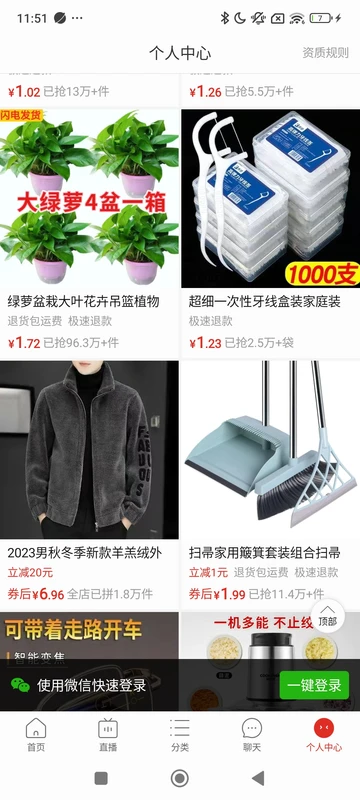
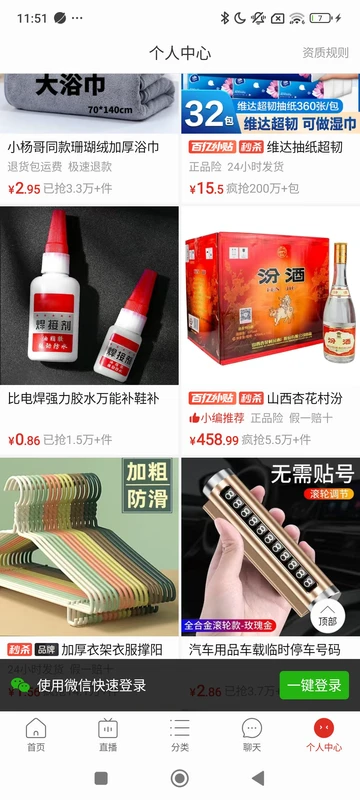
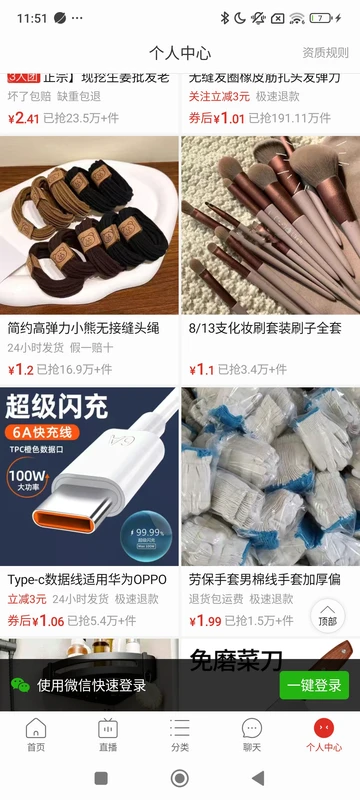
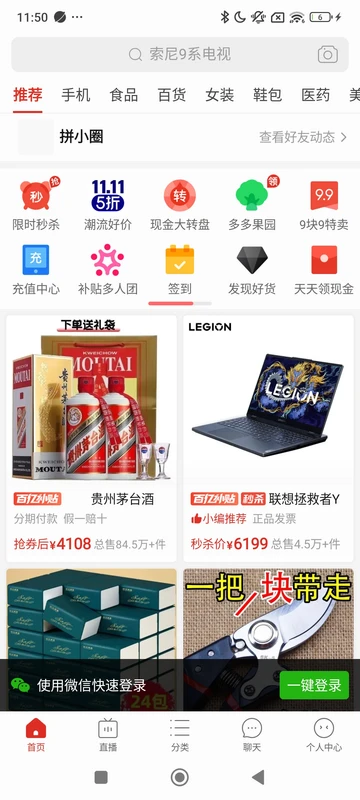
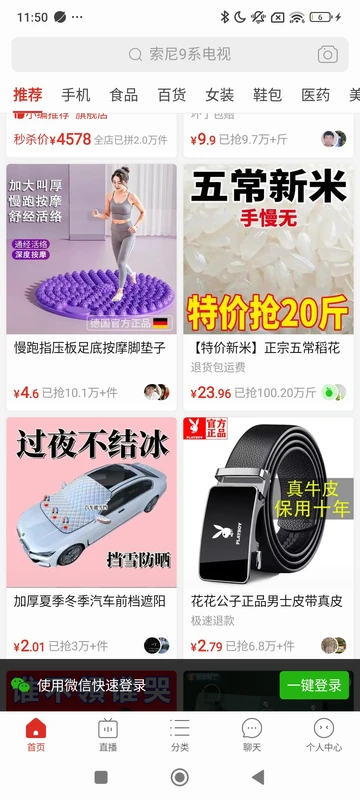
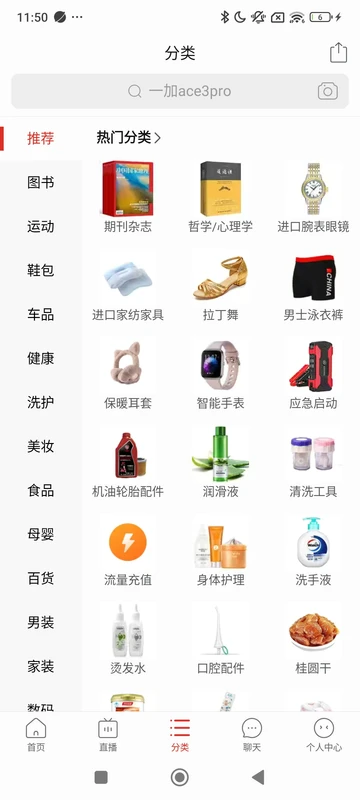
What's new
Version 8.27.0 is the newest build on APKBlade, updated 23 September 2026.
Download Pinduoduo APK for Android to shop for clothes, electronics, and more with amazing deals and low prices!
Discover Pinduoduo: A Fun Shopping Experience on Your Android Device
Imagine a magical store where you can buy everything from clothes to electronics, and even groceries, all at super low prices. That’s what Pinduoduo offers! It’s an app you can download on your Android phone to shop for all kinds of things while having fun. Let’s dive into what makes Pinduoduo so special and how you can get started with it.
What is Pinduoduo?
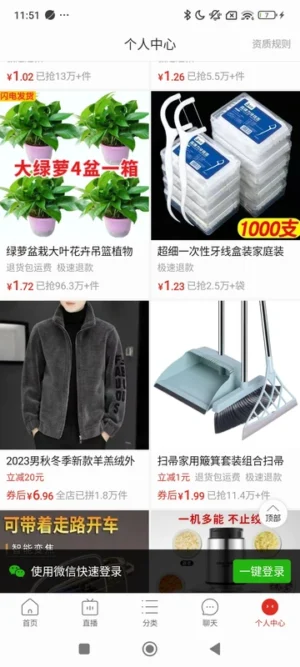
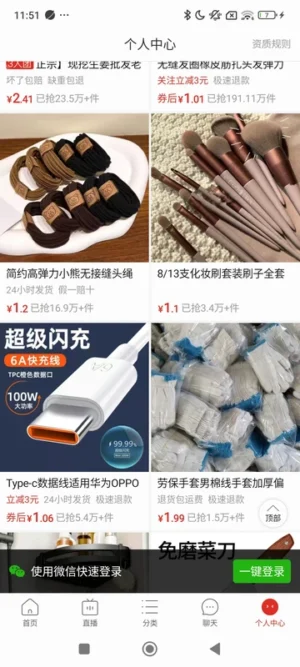
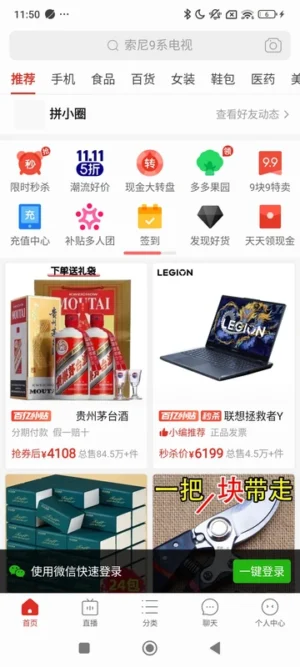
Pinduoduo is like a big online mall on your phone. It’s a place where you can find clothes, gadgets, furniture, and much more. The coolest part? You can shop with your friends and family, making it a fun and social experience. Pinduoduo mixes shopping with social media, so you can enjoy great deals and share them with others. It’s like having a shopping party online!
Why Pinduoduo is So Popular
Pinduoduo is loved by many people because it offers amazing deals and low prices. Who doesn’t like saving money, right? Here are some reasons why Pinduoduo is a favorite:
- Low Prices: You can find items at prices that are hard to beat. It’s like finding a treasure chest full of savings!
- Exciting Offers: There are always new promotions and discounts, so you can get more for less.
- Social Shopping: You can team up with friends to buy things together and save even more money.
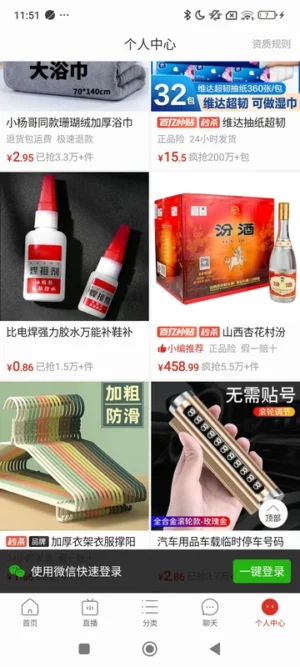
- Variety of Products: From clothes to electronics, and even groceries, Pinduoduo has it all.
How to Download Pinduoduo APK for Android
Downloading the Pinduoduo app is super easy. Just follow these simple steps, and you’ll be ready to start your shopping adventure:
- Tap to Download: Click the download button to get the Pinduoduo APK file.
- Find the File: Once downloaded, look for the file in your notification bar or the Downloads folder on your phone.
- Install the App: Tap the file to begin installation. Follow the instructions, and soon you’ll have Pinduoduo on your phone!
Exploring Pinduoduo: What You Can Buy
Once you have Pinduoduo on your phone, a world of shopping awaits you. Here’s a peek at what you can find:
- Clothing: From trendy outfits to comfy pajamas, there’s something for everyone.
- Electronics: Gadgets, phones, and accessories are all available at great prices.
- Home Accessories: Decorate your home with beautiful and affordable items.
- Groceries: You can even shop for food and essentials without leaving your house.
The Fun of Social Shopping
Pinduoduo isn’t just about buying things; it’s about having fun while you do it. Here’s how you can enjoy social shopping:
- Team Up: Invite friends to join you in buying something. The more people join, the lower the price!
- Share Deals: Found a great deal? Share it with your friends so they can enjoy it too.
- Play Games: Sometimes, you can play games to win discounts and coupons. It’s like a mini adventure every time you shop!
Safety and Security on Pinduoduo
When shopping online, it’s important to feel safe. Pinduoduo takes your security seriously. Here’s how they ensure a safe shopping experience:
- Secure Payments: Your payment information is protected, so you can shop with peace of mind.
- Verified Sellers: Pinduoduo works with trusted sellers to make sure you get quality products.
- Customer Support: If you ever have a question or problem, there’s always someone ready to help.
Tips for Getting the Best Deals on Pinduoduo
To make the most of your Pinduoduo experience, here are some tips to help you snag the best deals:
- Check Daily: New deals pop up every day, so check the app regularly to catch them.
- Join Groups: The more people join a group buy, the lower the price. Team up with others for big savings.
- Use Coupons: Keep an eye out for coupons and promotions to save even more.
- Read Reviews: Before buying, read what others have to say about the product to ensure it’s right for you.
Troubleshooting Common Issues
Sometimes, things don’t go as planned. Here are some common issues you might face and how to fix them:
- App Not Installing: Make sure your phone allows installations from unknown sources. You can change this in your settings.
- Can’t Find the APK: Check your Downloads folder or notification bar for the file.
- Slow Downloads: Ensure you have a stable internet connection. Try downloading again if it’s taking too long.

Keeping Your Pinduoduo App Updated
To enjoy all the latest features and deals, keep your Pinduoduo app updated. Here’s how:
- Automatic Updates: Enable automatic updates in your phone settings, so you never miss an update.
- Manual Updates: Check for updates in the app store and install them when available.
Conclusion
Pinduoduo is more than just an app; it’s a fun and exciting way to shop. With its low prices, social features, and wide range of products, it’s no wonder so many people love it. So why wait? Download the Pinduoduo APK for Android today and start your shopping adventure. Happy shopping!
More About Pinduoduo
| Name | Pinduoduo |
|---|---|
| Package Name | com.xunmeng.pinduoduo |
| Category | Shopping |
| Version | 8.27.0 |
| Size | 30.3 MB |
| Requires Android | 5.0 and up |
| Developer | Shanghai Xunmeng Information Technology Co., Ltd. |
| Last Updated | 23 September 2026 |
How to Install Pinduoduo
- Tap the download button and let the file finish.
- Open the file from your notifications or the Downloads folder.
- If Android asks, allow your browser to install unknown apps.
- Tap Install, then open the app.
FAQ'S
How to install Pinduoduo on android phone?
Once you've downloaded the APK file, click on the downloaded file, then hit the "Install" button.
I am getting Play Protect warning while installing!
Some mod APK files might get a warning. You can ignore this warning and install the APK file. Follow these simple steps to turn off Play Protect: Open Google Play app > Click Profile Icon > Select Play Protect -> Setting > Turn off both "Scan apps with Play Protect" and "Improve harmful app detection" options.
How to update APK without losing the data?
To update APK without losing the data, you don't need to follow anything extra. Click on the downloaded APK file and click the "Install" button. The app will update automatically without loss of data.
How to fix problems while installing/opening?
Make sure you have downloaded the file correctly. The downloaded file extension must end with .apk file. If you face any package install error, redownloading the file may fix the issue.


















Ratings and reviews
There are no reviews yet. Be the first one to write one.